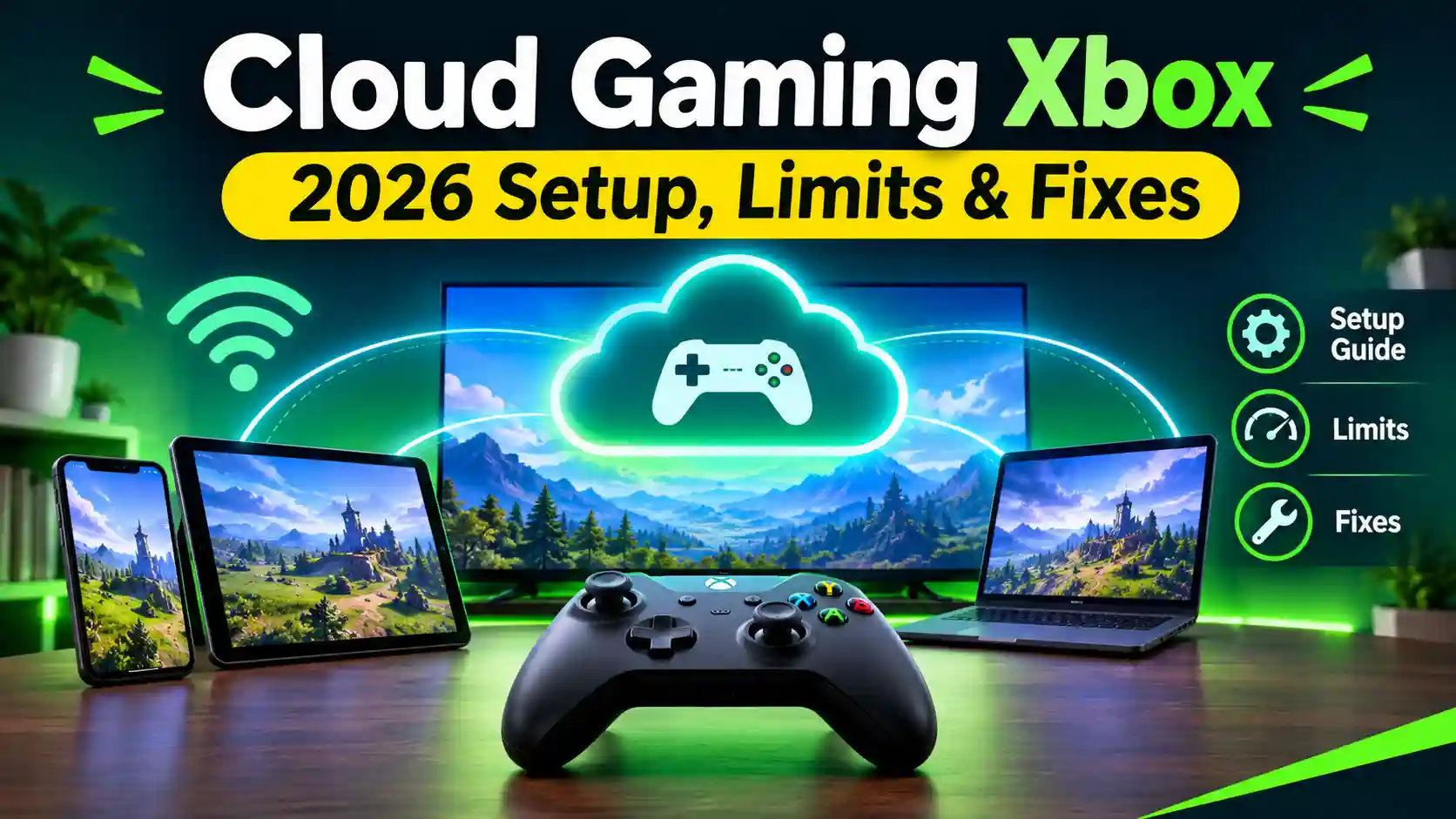
Cloud gaming Xbox lets you play Xbox games by streaming them over the internet, so you don’t need a console or a big download. Streaming means the game runs on Microsoft’s servers, and the video is sent live to your screen, much like watching a movie online.
That sounds simple, but a few things decide whether it feels smooth or frustrating. You need the right subscription, a steady connection, and a device that supports it. This guide explains all three in plain English.
Xbox cloud gaming also changes often. We mark time-sensitive details with a date and point you to the official Xbox site to confirm them. You’ll also get the honest downsides, like input lag, which is the small delay between pressing a button and seeing the result.
One note: this is an info blog. You can’t play or download any games here.
Quick Facts
| Detail | Info |
| Service name | Xbox Cloud Gaming (earlier called Project xCloud) |
| Full launch | September 15, 2020, after a beta that began in November 2019 |
| Subscription | Game Pass is required. Check the Xbox site for current tiers and prices. |
| Countries | 29 countries per Wikipedia. Check the Xbox site, as this page was flagged for updates. |
| Games available | Check the Xbox Game Pass library for today’s cloud-enabled count. |
| Max quality | Check Xbox Support for the current resolution and frame rate. |
| Devices | Phones, tablets, PCs, consoles, and smart TVs. Check the official list, as it grows. |
| Offline play | No. Games can’t be downloaded, and a dropped connection interrupts play. |
| Latest update | New input options were announced in November 2026. Check Xbox Wire for rollout status. Xbox Cloud Gaming +2 |
What Is Cloud Gaming Xbox and How Does It Work?
Cloud gaming Xbox is Microsoft’s streaming service for Xbox games. You pick a game, press play, and it starts within moments. Nothing is installed on your device.
How Game Streaming Works
The game runs on powerful computers in a data centre. Xbox Cloud Gaming streams games from Microsoft’s data centres straight to your device. Your controller presses travel back to that server. Your screen only shows the video. currys
That round trip takes a little time. It is the reason lag can show up, and we cover fixes later in this guide.
Cloud Gaming vs Remote Play vs Downloading
These three are easy to mix up:
- Cloud gaming: the game runs on Microsoft’s servers. It streams video to your device directly from Xbox’s remote servers. uswitch
- Remote Play: the game runs on your own Xbox console at home. You stream from that console to another device, so you need the console.
- Downloading: the game is stored and runs on your own device. It works offline but needs storage space.
Cloud gaming is the only one of the three that needs no console and no storage space.
What’s New in Xbox Cloud Gaming for 2026
As of November 18, 2026. Xbox changes this service often, so confirm details on the official Xbox site.
New Ways to Control Your Game
In November 2026, Xbox began two “previews.” A preview is an early test version that isn’t final yet.
On supported smart TVs, you can use an Android or iOS phone as your controller. To try it, open the Xbox Cloud Gaming app on the TV, go to Settings, then Account, and switch on Preview Features. The catch is that not every phone or smart TV works yet.
The second preview is for US players only. The new Nano Controller can connect to Xbox Cloud Gaming directly over Wi-Fi to reduce latency. Latency is the delay between pressing a button and seeing the result. The Nano Controller costs $49.99.
New Time Limits and Pricing
Game Pass cloud streaming used to have no monthly cap. That changed in November 2026. Ultimate now includes 15 hours a month, Premium 10, and Essential five. Microsoft expects about 4 percent of subscribers to hit the limit.
Extra time can be bought. Players without Game Pass can also buy cloud playtime to stream eligible games they own. Introductory packs were reported at 10, 25, or 50 hours of ad-free streaming. A free tier also became publicly available on November 11, 2026. Xbox says hours and purchase options can differ by region. Check the Xbox Store for current prices and free-tier limits.
The honest downside: Xbox itself called the limits a meaningful change, especially for people who play mostly in the cloud. Heavy players may run out of hours.
What You Need to Start Playing
You need three things for Xbox cloud gaming: a way to pay, a decent connection, and a device that works.
Subscription and Pricing: Is Xbox Cloud Gaming Free?
Not fully, but there are more ways in now. Game Pass includes monthly cloud hours: Ultimate 15, Premium 10, and Essential five, from November 2026. A free tier became publicly available on November 11, 2026. People without Game Pass can also buy playtime to stream eligible games they own.
Many older guides still say Ultimate is required, so they are out of date. Check the Xbox Store for current prices and free-tier limits.
Internet Speed Requirements for Xbox Cloud Gaming
Speed is measured in Mbps, meaning megabits per second. Microsoft lists 10 Mbps of download speed as the minimum.
| Device | Best-performance speed |
| Phone | 10 Mbps |
| Xbox console, PC, or tablet | 20 Mbps |
A stable 5GHz Wi-Fi or Ethernet connection is preferable, because speed alone doesn’t decide how smooth streaming feels. 5GHz is a faster, shorter-range Wi-Fi band. Some older pages list far lower minimums, so ignore those.
Best Devices for Xbox Cloud Gaming
| Device | What to know |
| Android phone or tablet | Older guides list Android 6.0 or newer. Check the current minimum. |
| Xbox cloud gaming on iPhone or iPad | Older guides list iOS 14.4 or higher, and Safari is a supported browser. |
| PC | Sign in through a browser at Xbox.com/play. |
| Xbox console | Stream directly on consoles, or use the Xbox app or xbox.com/play on other supported devices. |
| Fire TV and smart TVs | Support for Fire TV products rolled out in 2024. Only certain TVs work, so check the official list. |
| VR headsets | Xbox lists VR headsets, which give you a large virtual screen. |
The honest catch: not every phone or TV is supported, and the lists keep changing.
Controllers and Accessories
Most cloud games need a controller. Official and Designed for Xbox controllers are optimized for the service, and verified controllers also work. Check the Xbox controller list before you buy.
Countries Where It’s Available
Wikipedia lists 29 countries. That page was flagged for updates, so check xbox.com/regions for your country.
Gameplay Basics: Your First Cloud Session
Your first session takes only a few minutes.
Step-by-Step Setup
- Check your access. Make sure you have Game Pass cloud hours, a free-tier slot, or bought playtime (see the section above).
- Sign in with your Xbox Microsoft account. Your cloud saves are tied to this account, so use the same one on every device.
- Open Xbox cloud gaming. Use the Xbox app where supported, or a supported browser or TV app. On a PC, you can sign in through a browser at Xbox.com/play.
- Pick a cloud-playable title and press play. A Microsoft machine then livestreams the game to your device.
- Connect your controller before you start. Wired or Bluetooth both work on many devices, so check yours.
Finding Cloud-Playable Games
Not every game can be streamed. In the Game Pass library, look for titles marked cloud-enabled. The Xbox PC app was tested with a “Cloud playable” filter that gathers your streamable titles in one place. Insiders got that first, so check whether your app has it yet.
You may also stream some games you own. Players without Game Pass can buy playtime to stream eligible games they own. “Eligible” means not every owned game qualifies.
How Saves and Progress Sync
Cloud saves are backups of your progress stored online. Most modern Xbox games support them automatically, so you simply play and save as normal. Cloud Storage is separate from Xbox Cloud Gaming. Storage syncs your saves, and Cloud Gaming streams the game.
You can also check your sync. Xbox now shows the date and time of the last sync. Look for it before you close a session.
One honest warning: cloud gaming is temporary streaming access, not ownership. If your hours or subscription end, you lose access to the stream.
Beginner Tips for Smoother Cloud Gaming
These four habits fix most Xbox cloud gaming lag. They cost nothing.
Use 5GHz Wi-Fi or Ethernet
This is the biggest single fix. Microsoft’s guidance favors a stable 5GHz Wi-Fi or Ethernet connection, because speed alone doesn’t decide how smooth streaming feels. 5GHz is a faster Wi-Fi band with shorter range, so sit close to your router. Ethernet means a cable from router to device. Both help cut Xbox cloud gaming lag. macmyths
Also, a fast internet plan can’t fix every problem. A busy home network can still cause stutter, so pause downloads and video streams while you play.
Watch Your Mobile Data
Streaming uses a lot of data. Microsoft doesn’t publish a universal data-use estimate. The Verge reported that many streams averaged around 10 Mbps. By my own math, that is roughly 4.5 GB per hour. Treat that as a rough estimate, not an official number. Wi-Fi is the better choice to save data and avoid big phone bills.
Pick Lag-Friendly Games First
This tip is my general advice, not an official rule. Slower games, like story adventures, puzzle games, and turn-based strategy, hide delay well. Fast shooters, racing games, and fighting games punish it. Start slow, then test faster games once your setup feels stable.
Tweak Controller and Display Settings
Controllers add their own delay. Bluetooth latency can make a game feel laggy, so wire the controller by USB or pair it directly to your device. On a TV, turn on “Game Mode” if it has one. That setting cuts the TV’s own picture delay.
The honest limit: streaming always adds some delay. These tips shrink it, but never remove it.
Advanced Strategies to Cut Lag
These steps go beyond the basics. Some need access to your router settings.
Router Priority (QoS) and Network Cleanup
QoS means Quality of Service. It’s a router setting that gives one device’s traffic priority over the rest. Turning it on for your streaming device may help on a busy home network. This is my general advice, and menu names differ by router, so check your router’s manual.
Also close background downloads and update your router’s firmware. Microsoft doesn’t publish a numeric cutoff for ping, jitter, or packet loss. Its published figures cover download speed only. Jitter is shaky timing, and packet loss is missing data.
Wired vs Bluetooth vs Direct-to-Cloud Controllers
A wired controller removes wireless delay. A newer option skips the device entirely. With cloud connect, the controller sends input over Wi-Fi straight to the game server instead of using Bluetooth to reach the TV, which may reduce input latency. It is a US-only preview for the Nano Controller.
Latency by Device: PC vs TV vs Phone vs Console
I couldn’t find an official ranking of latency by device, so I won’t invent one. What you can control is your screen. One older hands-on found cloud input lag lower than the same game on a console connected to a different TV. That 2021 test shows your display matters as much as the service. Turn on your TV’s Game Mode and test your own setup. reviewed
When to Skip Cloud
Fast competitive games are the weak spot. A Digital Foundry test reported about 99.6 ms of total latency, roughly 45 ms more than the native console. That was one game and an older test, so treat it as a rough guide. For ranked shooters or tight timing, a local console or PC is the safer choice.
Common Cloud Gaming Mistakes
Most problems come from four avoidable mistakes.
Playing on Weak Wi-Fi
A slow or crowded connection is the top cause of stutter. Microsoft lists 10 Mbps as the minimum, and a stable 5GHz Wi-Fi or Ethernet link is preferable. Move closer to the router or use a cable. macmyths
Assuming Every Game Is Cloud-Enabled
Many games can’t be streamed. Check the cloud-playable label before you plan a session. Even for games you own, only eligible ones can be streamed with bought playtime. pureinfotech
Ignoring Region and Subscription Limits
Hours, prices, and features aren’t the same everywhere. Xbox says hours available, purchase options, and cloud features could differ by region. Also remember the monthly cap: Ultimate gets 15 hours, Premium 10, and Essential five. Check your remaining time before a long session.
Expecting Console-Level Image Quality
Streamed video is compressed, so fine detail can look softer than on a local console. Older reports describe streaming up to 1080p at 60fps. Check Xbox Support for the current maximum. techradar
Cloud Gaming Xbox Pros and Cons: An Honest Review
Cloud gaming Xbox solves real problems, but it creates a few new ones. Here is the fair picture.
Where It Shines
- No console needed. You can play hundreds of console games on devices you already have.
- No downloads or storage worries. You press play and the game streams, which helps phones and low-storage laptops.
- Try before you buy. Cloud gaming lets you test a game before committing to it.
- More ways to get in. A free tier became publicly available on November 11, 2026.
- Easier controls. On supported smart TVs, a phone can now act as your controller. xbox
Where It Falls Short
- Monthly time limits. Game Pass cloud streaming used to have no cap, but Ultimate now gets 15 hours, Premium 10, and Essential five. Xbox itself called this a meaningful change, especially for heavy cloud players.
- Input lag. One Digital Foundry test reported roughly 45 ms more latency than the native console. That was one game and an older test, but the extra delay is real.
- Needs a stable connection. There’s no offline play, and a dropped connection interrupts your game.
- Image quality. Compressed video usually looks softer than local play, and older reports describe a 1080p, 60fps ceiling. Check the current limit.
- Patchy support. Not every phone or smart TV works with the newest features yet.
Verdict: It suits casual play, travel, and trying games. It’s a poor fit for competitive shooters and for people who play many hours each month.
Xbox Cloud Gaming vs Other Services
Xbox isn’t the only cloud option. The big difference is what you pay for.
| Service | How it works |
| Xbox Cloud Gaming | A rotating library bundled into the subscription, plus eligible games you own. It is the only one of the three with first-party Xbox titles. |
| GeForce NOW | A “bring your own library” model, with a free tier. You stream games you already own. |
| PlayStation Plus Premium | Console-focused. Main access is through PS5 and PS4, plus the PlayStation Portal |
I left out prices and resolution caps on purpose. The comparison pages I found contradict each other. Game Pass Ultimate shows at three different prices, and Xbox’s resolution cap appears as both 1080p and 1440p. Check each official site for current numbers.
Many comparison pages also predate November 2026. Some still say Xbox has no hour cap or no free tier, and both are now outdated.
FAQs
Is Xbox Cloud Gaming free?
Partly. A free tier became publicly available on November 11, 2026. Its limits aren’t fully clear to me, so check the Xbox site for the exact terms. Beyond that, Game Pass includes monthly cloud hours: Ultimate 15, Premium 10, and Essential five. Extra hours come in packs of 10, 25, or 50.
Do I need an Xbox console to use it?
No. Xbox Cloud Gaming lets you play hundreds of console games on devices you already have. A Microsoft machine runs the game and livestreams it to your device. This is different from Remote Play, which does need your own console.
What internet speed do I need?
Microsoft lists 10 Mbps of download speed as the minimum. For best performance, it lists 10 Mbps for mobile devices and 20 Mbps for Xbox consoles, Windows PCs, and tablets. A steady 5GHz Wi-Fi or Ethernet link helps more than a bigger plan.
Can I stream games I already own?
Sometimes. Players without Game Pass can buy playtime to stream eligible games they own. “Eligible” means not every owned game qualifies. Check the cloud-playable label on each game before you plan around it. pureinfotech
Does Xbox Cloud Gaming work on iPhone and iPad?
Yes, through a browser. Older guides list Safari as supported and iOS 14.4 or higher as the minimum. Confirm the current requirement on the official Xbox site. A newer preview also lets an Android or iOS phone act as a controller on supported smart TVs.
Conclusion
Cloud gaming Xbox is a real way to play Xbox games without a console or big downloads. It works best for casual play, travel, and trying games before you buy.
It has clear limits. Monthly hour caps, input lag, and a steady connection requirement matter more for heavy or competitive players. Those players may prefer a local console or PC.
Before you subscribe, check the official Xbox site for current prices, hours, and device lists. They change often, so look at the “last verified” date on this guide. This is an info blog, so you can’t play or download any games here.