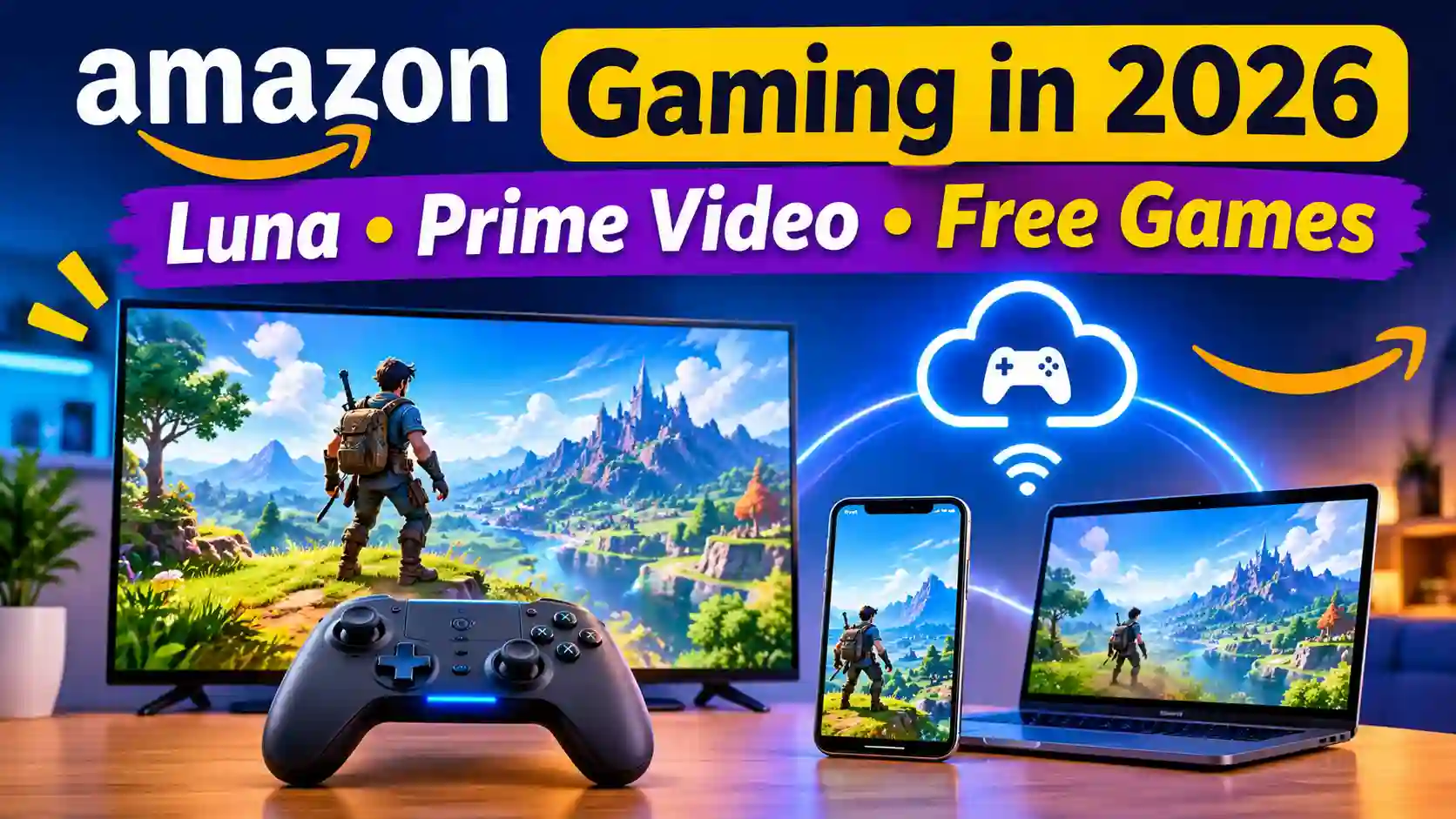
Amazon gaming today mostly means Amazon Luna, a cloud gaming service that streams games to your TV, phone, or PC without a console. The Prime Gaming brand was folded under Luna in late 2025, and Luna was added to Prime Video in July 2026.
Cloud gaming means the game runs on Amazon’s servers and streams to your screen like a video. You need a good internet connection, but not an expensive gaming PC.
This guide explains what you get, which devices work, how to start, and where Amazon gaming falls short. Details change often, so version-sensitive points are marked “as of November 2026.”
What Is Amazon Gaming? How It Works Today
Luna, Prime Gaming, and Game Studios Explained
Amazon gaming is not one product. It is a group of services that share one name.
- Luna is the cloud streaming service.
- Prime Gaming was the perk that gave Prime members free games and in-game items.
- Amazon Game Studios is the team that makes Amazon’s own games.
These used to run as separate groups. Amazon has since combined Prime Gaming, Amazon Game Studios, and Luna into one organization.
What Changed in 2025-2026
As of November 2026, the biggest change is that Luna is now the main home for Amazon’s gaming perks. In late 2025, Amazon folded the Prime Gaming brand under Luna. aws
The next step came in July 2026. Amazon announced it was bringing games to Prime Video by building Luna into the streaming app. Reports said nearly 100 games were added at no extra cost, as Amazon pulled back from competing in the console and PC market.
The game list changes often, so check the official Luna page for the current titles. Many older guides still describe Prime Gaming as a separate service, which is no longer accurate.
How Cloud Gaming Works
In cloud gaming, the game runs on powerful computers in an Amazon data center. Your device only shows the video and sends your button presses back.
The delay between pressing a button and seeing the result is called latency. High latency makes fast games feel sluggish. The Luna controller connects straight to the cloud server, which helps keep that delay low.
The trade-off is that your experience depends on your internet. A weak connection can cause blurry video or lag, no matter which device you use.
Amazon Gaming Basics: What You Get with Prime
Prime Gaming Free Games and In-Game Content
The old Prime Gaming perk still exists, but under new names. Amazon now presents the monthly benefit under Luna as “Free Games with Prime.” These are PC games you claim each month. Amazon’s August 2026 lineup had nine PC games, which install through the Amazon Games App.
The number changes from month to month. One report says Amazon offered 11 free games in May 2026 and closer to 9 in September 2026. Check the current month’s list on Luna before you promise readers anything.
Luna Library: What’s Included vs Paid
Luna uses tiers, which are plans at different prices. The base tier is Luna Standard, and it is included with any Prime membership at no extra charge. An October 2026 update describes an evolving library of more than 80 Prime-included games.
The paid upgrade is Luna Premium. It was reported at $10 per month after Luna’s relaunch. That price may change, so check the official Luna plans page. Big new releases tend to sit behind the paid tiers, not the free one. groundtech-insider
Amazon Luna Controller and Other Ways to Play
You can play Luna with a controller, but you don’t have to buy one. Prime members with a Fire TV in the US and UK can play inside the Prime Video app using a controller or a smartphone. As of November 2026, that Fire TV launch is limited to those two countries.
If you do want the Amazon Luna controller, Amazon built it for cloud gaming, connecting directly to the cloud server for lower delay. I couldn’t verify its current price, so check Amazon’s official site.
The catch: Amazon’s own gaming chief has admitted that awareness is Luna’s biggest problem, and the setup can confuse new users. The Luna homepage often promotes the paid tier more than the free one.
Platform Differences: Where to Play and What to Expect
TV and Fire TV
Fire TV is the easiest way in. Prime members with a Fire TV in the US and UK can open the Prime Video app, find the Games tab, and play with a controller or a smartphone. This route is the main way Prime Video games reach your living room. advanced-television
Other TVs work too, but only select models. Amazon lists select Samsung and LG smart TVs among supported devices. Check your exact model on Amazon’s Luna help page first.
Phone and Tablet
On phones, Amazon Luna runs in a browser, not a normal app. iPhones and iPads use Safari (iOS or iPadOS 15 or newer), and Android devices use Chrome on Android 10 or newer. Amazon also offers a free Luna Phone Controller app, so your phone can act as the controller.
PC and Browser
On a computer, you stream in the browser. Amazon lists Chrome 83 or newer or Microsoft Edge 90 or newer for PC and Mac, and Chrome 86 or newer for Chromebook. Other browsers may work, but Amazon says quality and features may not work as expected.
Regional Availability
This is where Amazon gaming gets confusing. Amazon said its cloud games were available in only 14 countries, while Prime members everywhere can still claim the monthly PC games. That statement may be out of date, so check Amazon’s current country list before you recommend Luna to a reader.
| Platform | How you play | Main limit |
| Fire TV | Prime Video Games tab | Prime Video route is US and UK only |
| Phone/tablet | Browser, plus phone controller app | No standard app for iPhone |
| PC/Mac/Chromebook | Chrome or Edge | Needs a supported browser |
The catch: Third-party controllers work on some platforms but are not supported on Fire TV or Fire Tablet, so check before buying a controller.
Beginner Tips to Get Started with Amazon Gaming
Step-by-Step Setup
- Check your Prime account. Sign in with the Amazon account that holds your membership. Luna Standard comes with Prime in supported regions.
- Pick your device. On a supported Fire TV, open Prime Video, select Games, and launch Luna from there. On a PC or phone, open Luna in a supported browser from the last section.
- Start with the Prime-included games. The main Luna homepage often pushes the paid tier harder than the free one, so look for the included section first. tech-insider
- Connect a controller or use your phone. Then launch one game and test it before you explore.
Internet Speed and Latency Requirements
Internet speed is measured in Mbps (megabits per second). Amazon asks for a sustained speed of at least 10 Mbps for 1080p video. “Sustained” means steady, not just fast for a moment. amazon
Amazon suggests a wired Ethernet or 5 GHz wireless network for best performance. A single speed test is only a snapshot, and a good result doesn’t prove the connection stays stable while you play. Treat 10 Mbps as a floor, and leave extra room. Best Starter Games
Luna’s library rotates, so check the current list before you promise any title. These two appeared in 2026 reports.
Tricky Towers. This physics-based multiplayer game has you build stable towers while sabotaging rivals with spells. It was listed as a Game Night title in January 2026. It suits groups and casual players, and it works with the cloud setup.
DOOM Eternal. This first-person shooter was on the September 2026 list of claimable PC games. That means it is a PC download, not a stream. It suits experienced players with a capable PC, and it is a poor first pick for beginners.
How to Claim Your Free Games
Reports say the monthly PC games are now claimed through Amazon Luna, so open the current month’s list there. Claim windows may close, so claim early and check the official page for dates.
Advanced Tips for Better Cloud Gaming
Wired vs Wi-Fi and Router Settings
Your network matters more than your device. Amazon suggests wired Ethernet or a 5 GHz wireless network for best performance. 5 GHz is the faster, shorter-range Wi-Fi band on most routers.
If 5 GHz still feels rough, try the other band too. A “Network issues detected” warning means your speed is fluctuating and not staying consistent. Also install browser and system updates, and set browser zoom to 100%.
Reducing Input Lag
Input lag is the delay between pressing a button and seeing the action on screen. The Luna controller is built to cut it. It has a “Cloud Direct” feature aimed at lowering latency, though it also supports Bluetooth. An older third-party guide claimed a direct connection saves 17-30 milliseconds over Bluetooth. I couldn’t confirm that figure with Amazon, so treat it as a rough estimate.
On phones, if the on-screen controller stops responding, hold the Luna button for three seconds, then reopen the controller.
Getting More Value from Prime Perks and Sales
Amazon’s Black Friday Week and Cyber Monday events run from November 19 through November 30, 2026. That makes this the time to look for controller discounts. Last year’s Black Friday sale cut the Luna controller from $69.99 to $39.99. I found no confirmed 2026 price, so check Amazon’s deals page first.
Also watch your free games. One November 13 deals roundup lists Luna freebies by expiration date, with at least one claim deadline on November 18.
The catch: Sales can tempt you to buy gear before you know Luna works for you. Confirm your country and device support first, and try the free Prime tier before spending on a controller.
Common Mistakes to Avoid
- Mixing up streamed games and PC downloads. The monthly freebies are different from cloud games. Prime members can claim downloadable PC games wherever Prime is available, even where Luna cloud games aren’t. A PC download needs a PC that can run it.
- Assuming your country is covered. Amazon’s own FAQ said cloud games were limited to 14 countries, and the Prime Video route is for Fire TV in the US and UK. Check availability before you set anything up.
- Trusting one speed test. A single result is only a snapshot, and a high reading doesn’t show the connection stays stable. Test more than once.
- Buying the wrong controller. Third-party controllers are not supported on Fire TV or Fire Tablet. Check your device first.
- Missing claim deadlines. Some Luna freebies carry expiry dates, so claim early.
- Following outdated Prime Gaming guides. The Prime Gaming brand was folded under Luna in late 2025, so older steps and screenshots may no longer match. aws
- Landing on the paid upsell. The main homepage often promotes the paid tier more than the free one, so look for the Prime-included games first.
Amazon Gaming vs Competitors
Cloud gaming rules changed a lot in 2026, so this comparison is “as of November 2026.” Check each official page before you buy.
Amazon Luna vs Xbox Cloud Gaming
Xbox Game Pass Ultimate, the tier with cloud gaming, dropped from $29.99 to $22.99 a month in April 2026. But there’s a new catch. Starting in November, Ultimate includes 15 hours of cloud gaming a month, Premium includes 10, and Essential includes five. Players who use up their hours can buy more.
Luna’s pitch is simpler: the base tier comes with any Prime membership at no extra charge. I found no stated monthly hour limit for Luna in my sources, so confirm that on Amazon’s plans page.
Amazon Luna vs GeForce NOW
GeForce NOW’s paid tiers are Performance at $9.99 and Ultimate at $19.99 a month. Since January 1, 2026, paid members get 100 hours a month, and extra time costs $2.99 (Performance) or $5.99 (Ultimate) per 15 hours. The free tier caps each session at one hour. The draw is a massive library of PC games.
| Service | Price (US) | Cloud time limit | Best for |
| Amazon Luna | Included with Prime; Premium reported near $10/month | None found; check Amazon | Prime members who want a low-cost start |
| Xbox Cloud Gaming | Ultimate $22.99/month | 15 hours/month (Ultimate) | Xbox library fans |
| GeForce NOW | Free, $9.99, $19.99 | 100 hours/month (paid) | Heavy PC-game players |
The catch: Luna wins on price, not on library size. Big new releases tend to sit behind its paid tiers. If you want the newest titles, a paid plan from any service may fit better. tech-insider
Honest Verdict: Pros, Cons, and Who It’s For
Think of this as a research-based Amazon Luna review. It comes from Amazon’s own pages and published reports, not hands-on testing.
Pros
- Low cost to try. The base tier comes with any Prime membership at no extra charge.
- No console needed. Amazon’s pitch is no downloads, no purchases, and no console required.
- Wide device support. Fire TV, select smart TVs, phones, PCs, and Chromebooks all work.
- Free PC games everywhere Prime runs. Prime members can claim monthly PC games wherever Prime is available.
Cons
- Patchy availability. The Prime Video route is for Fire TV in the US and UK, and cloud games were limited to 14 countries in Amazon’s FAQ.
- Smaller library at the free tier. Big new releases tend to sit behind paid plans.
- Your internet decides everything. Amazon asks for a sustained 10 Mbps for 1080p, and weak Wi-Fi hurts quality.
- You don’t own streamed games. If the service changes, access can change too.
- Confusing for newcomers. Amazon’s own gaming chief says awareness is the biggest problem. One analyst says Amazon has never really become a gaming destination.
Who Should Use It, and Who Should Skip It
Use it if you already pay for Prime, live in a supported region, and want casual, low-cost gaming on a TV or phone.
Skip it if you need the newest big releases, have unstable internet, or live where cloud games aren’t offered. In that case, compare GeForce NOW or Xbox Cloud Gaming from the last section.
FAQs
Is Amazon Luna free with Prime?
Mostly, yes. The base tier, Luna Standard, comes with any Prime membership at no extra charge. It applies to Prime members in supported cloud-gaming regions. The paid tier, Luna Premium, was reported at $10 per month, so check Amazon for today’s price.
What happened to Prime Gaming?
The name faded, but the perks stayed. Amazon folded the Prime Gaming brand under Luna in late 2025. The monthly PC game benefit now appears under Luna as “Free Games with Prime.”
Which devices support Amazon Luna?
Many do. Amazon lists Fire TV, Fire tablets, select Samsung and LG smart TVs, phones, PCs, MacBooks, and Chromebooks. Browser play needs Chrome, Edge, or Safari at minimum versions Amazon publishes. Check Amazon’s compatibility page for your exact model.
How fast does my internet need to be for Luna?
Amazon asks for a sustained speed of at least 10 Mbps for 1080p video. It suggests wired Ethernet or 5 GHz Wi-Fi for best performance. Leave extra room, since a weak or unstable connection hurts quality.
Can I play offline or keep the games forever?
Cloud games need a live internet connection, because they stream from Amazon’s servers. Amazon describes this as play with no downloads required. The monthly PC games are different. One report says those downloads stay yours even if Prime lapses, but I couldn’t confirm that with Amazon. Check the official terms before you rely on it
Conclusion
Amazon gaming in 2026 is really about Amazon Luna, now tied closely to Prime and Prime Video. For Prime members in a supported region, it’s a low-risk way to try cloud gaming and claim free PC games. It isn’t the biggest library, the rules differ by country, and your internet decides how good it feels.
Start small. Confirm your country and device are supported, test one Prime-included game, and claim the monthly freebies before they expire. If it fits, keep it. If not, you’ve lost nothing. Always confirm prices and availability on Amazon’s official pages, since both change often.